
If Facebook Messenger is one of the apps you check first, rejoice, as they've come up with a way to save your retinas: Dark Mode.
Facebook decided to make it a bit more interesting by hiding the feature in a little Easter egg. To enable Dark Mode, you have to, first, make sure you have the most updated version of Messenger.
Next, pick a chat with any of your friends. Go to that specific chat's settings by clicking on the name of the person.
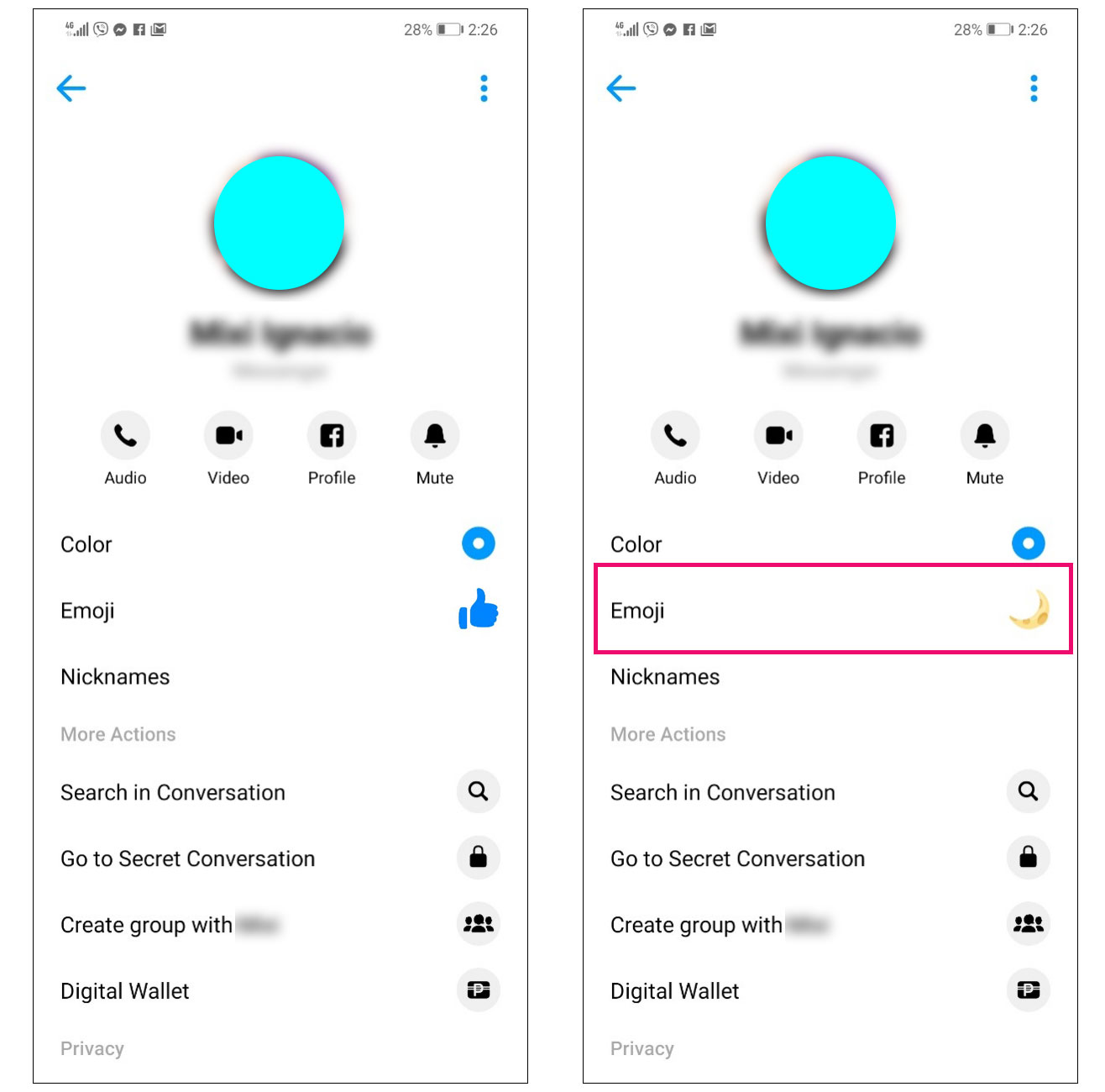
Change that chat's emoji to the moon. For reference, the default emoji of most chats is the thumbs up. This usually activates the new feature, and an alert pops up: "You've found dark mode."
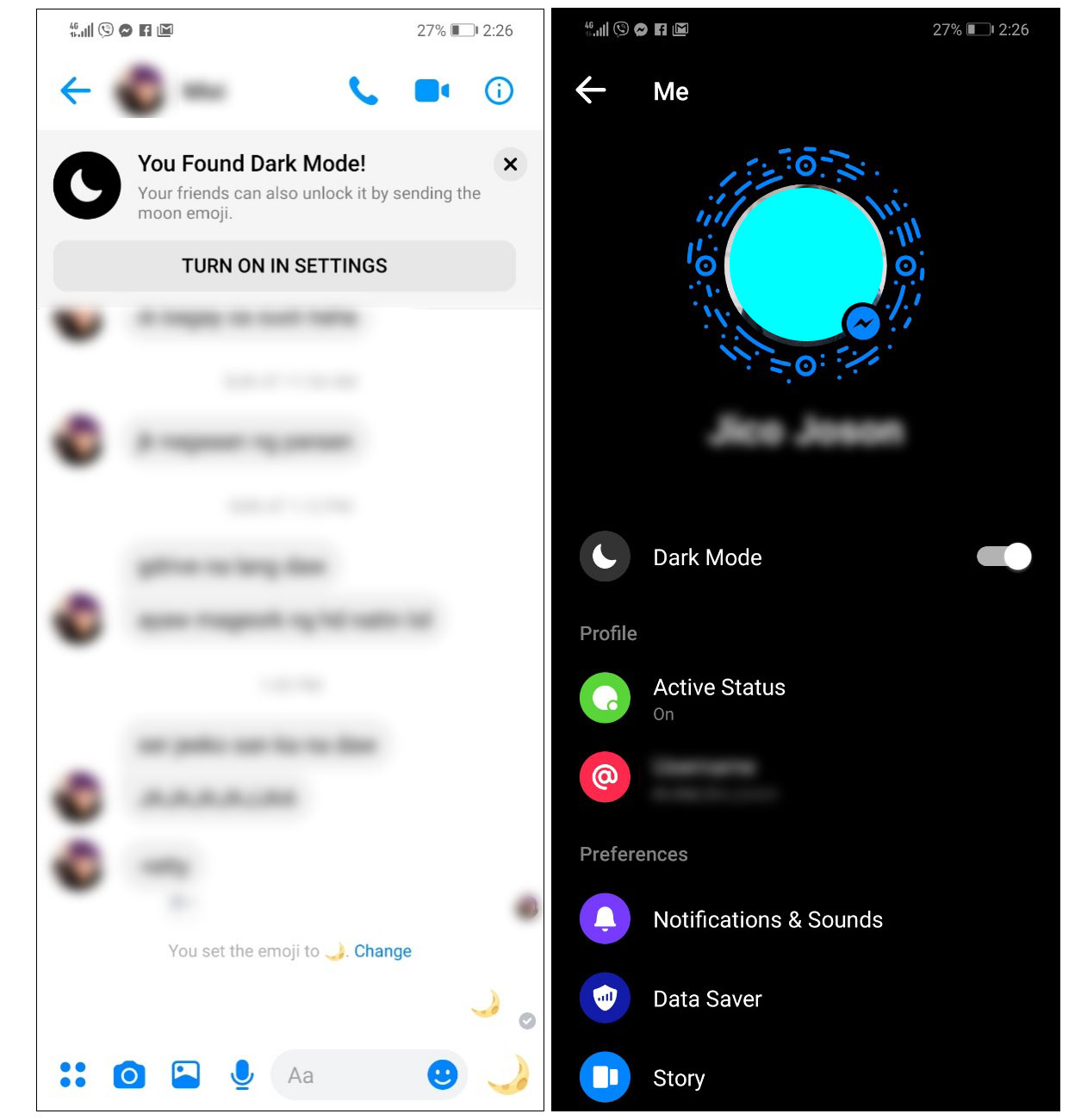
If, however, it doesn't work, try double tapping the moon emoji a few times. Once activated, click on the alert message. It will lead you back to settings so you can officially activate it.
Apparently, some people are still unable to do this, but it's highly likely that Facebook will start rolling out Dark Mode to all its users.
Source: Forbes
IThis story originally appeared on Cosmo.ph.
* Minor edits have been made by the Femalenetwork.com editors.